Orchestrating enemy AI in a top-down shooter
How I built a complex enemy AI without maintaining spaghetti code

As I mentioned in my previous posts, I’ve been working on a top-down shooter for quite a while: [SWAGSHOT]
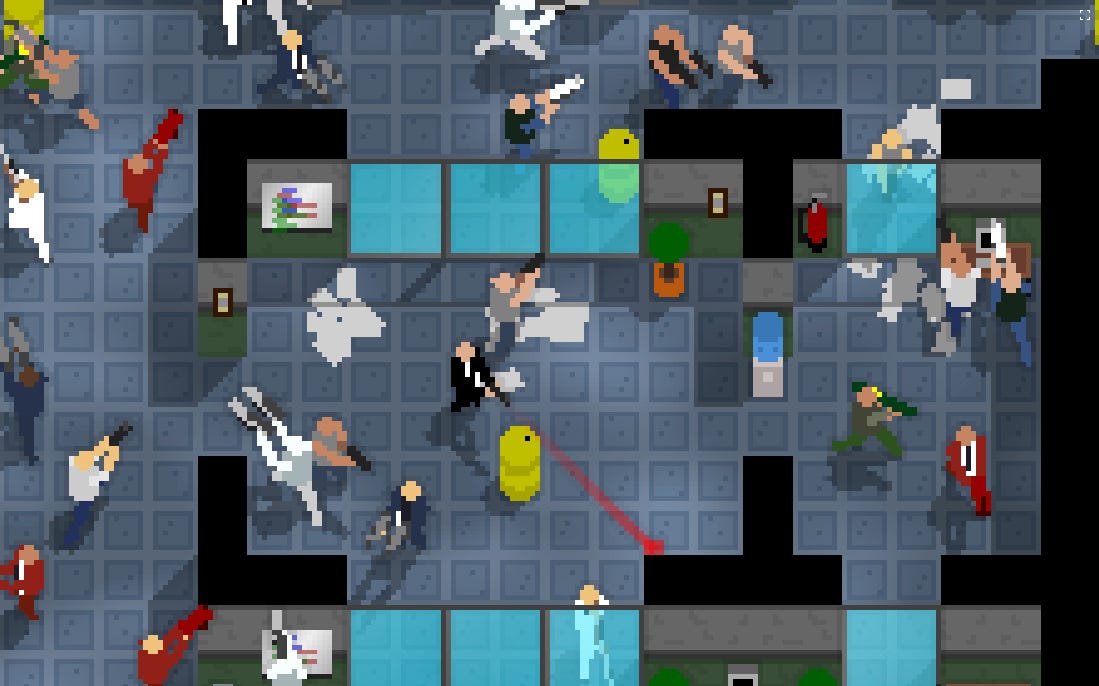
Without much surprise, one of the most important parts of the game is the shooting. If the shooting isn’t satisfying, everything else falls apart. Weapons need to feel good.
That being said, you can’t have good shooting if targets aren’t fun to shoot at.
Enemies need to behave in a way that feels challenging. They need to move around, and fight back when they see you. They need to actively force you to keep moving.
But they also can’t be overpowered. For instance, an enemy that cannot see you should not be able to chase you.
First “complex” draft
One of the challenges I find when building enemy AI is that it’s almost always composed of different phases.
For instance, you could define a couple simple phases:
walk around randomly
aim at the player and shoot
These two are very simple to implement:
class WalkAround {
    onWallCollision() {
        changeFacingDirection()
    }

    update() {
        walkForward()
    }
}

class AimAndShoot {
    update() {
        if (targetInSight) {
            aimAtTarget()
            shoot()
        }
    }
}
And in practice, this is how they’d look:


Now a slightly more interesting enemy would walk around, and shoot when the player is in sight.
Let’s try it:
class WalkAroundAndShootIfTargetInSight {
    onWallCollision() {
        changeFacingDirection()
    }

    update() {
        if (targetInSight) {
            aimAtTarget()
            shoot()
        } else {
            walkForward()
        }
    }
}
While this works in practice, it’s not hard to imagine how it’ll quickly evolve into a huge mess.
What if we want enemies to wait a second before resuming to walk? What if we want them to delay shooting? What if we introduce path finding?
It starts simple, but then it becomes this:
class AwesomeAI {
    update() {
        if (targetInSight && !reloading) {
            // Shoot
        }

        if (!targetInSight && !reloading && clipNotFull) {
            // Reload
        }

        if (targetInSight && idleTime > 2 || reloading) {
            // Move around
        }

        // ...
    }
}
Code becomes a big bowl of spaghetti. Maintenance becomes impossible. Sirens in the distance.
Orchestration framework
If we look at the first couple AIs we defined, although far from being interesting from a gameplay perspective, they have one quality: their simplicity.
What if we treated them as building blocks, and built a simple framework to orchestrate them?
We can treat AI a a set of tiny asynchronous completable tasks.
For instance, if we want to build an AI that allows the enemy to follow a specific path, we need a way for it to communicate that it’s finished.
Let’s start with a simpler example, allowing enemies to wait for a few seconds:
class Wait {
    private totalTime = 0

    constructor(readonly duration: number) {}

    update(elapsed: number) {
        this.totalTime += elapsed;
        if (this.totalTime >= this.duration) {
            this.complete();
        }
    }
}
We can then break the enemy behaviors into tiny atoms:
an atom that aims at the player
an atom that pulls the weapon trigger
an atom that completes when the player is in sight
an atom that completes when the player is out of sight
…
With each atom being so easy to build, building the full AI just becomes an orchestration problem.
We’ll need a few orchestration blocks:
RaceAI: runs AIs in parallel and completes whenever any of them completes
ParallelAI: runs AIs in parallel and completes whenever all of them complete
ScriptAI: runs AIs in an arbitrary way using an injected script1
Now we can define the enemy movement using those blocks:
function wanderAI() {
    return new ScriptAI(async (script) => {
        while (true) {
            // Walk around for 2 seconds
            await script.start(new RaceAI([
                new ParallelAI([new WalkAround(), new AimForward()]),
                new Wait(2),
            ]));

            // Pause for a second
            await script.start(new Wait(1));

            // Resume walking
        }
    });
}
And this is what it looks like in-game:
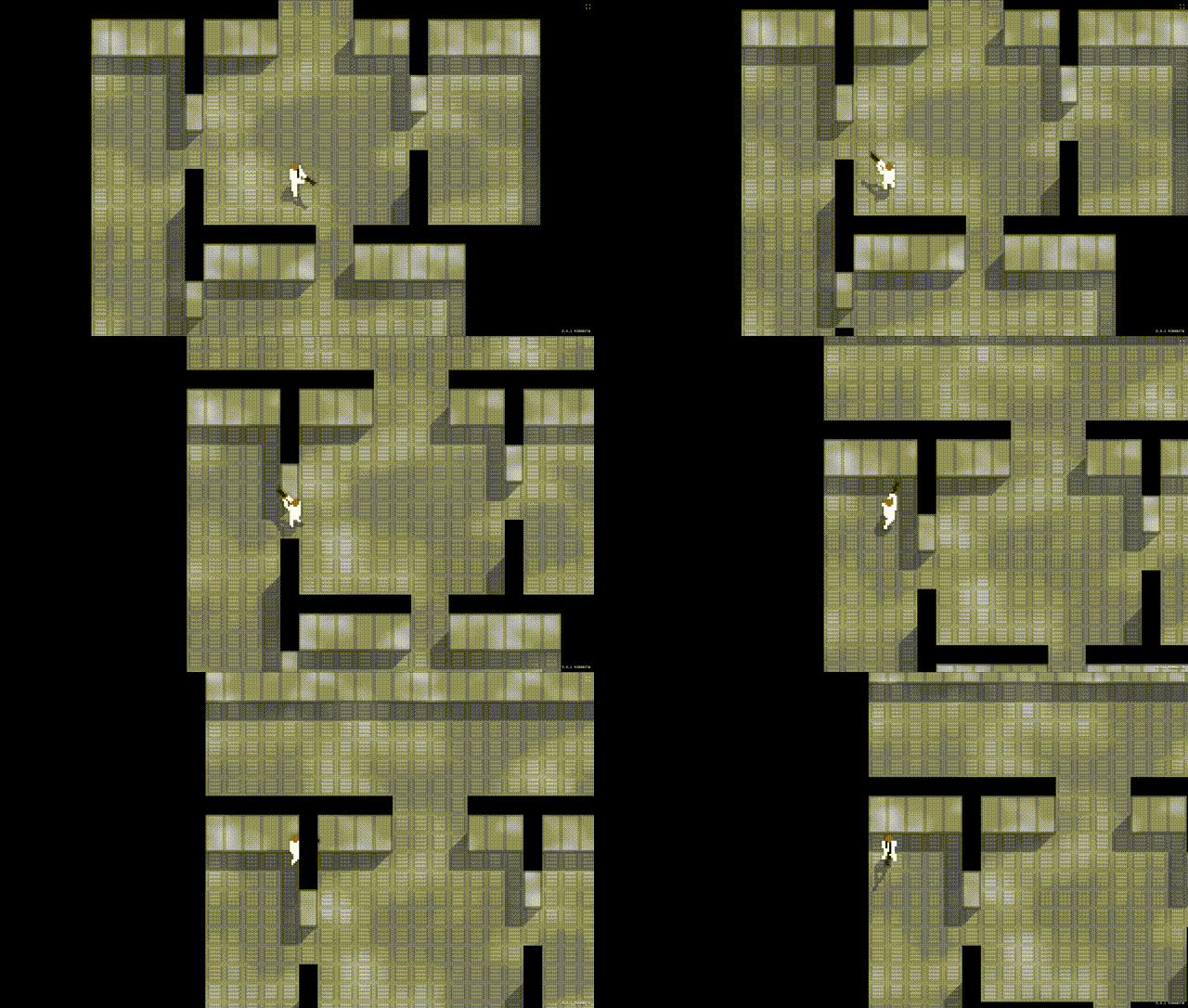
For this simple case, it may seem like over-engineering, but the end goal is to have a much more complex AI, made of many easily maintainable building blocks.
Putting it all together
The final AI that I opted to use has three phases:
Wander: enemy walks around, until the player is spotted or heard
if player is in sight, proceed to 2. Attack
if player isn’t in sight, skip to 3. Reach
Attack: shoot the player until they’re not visible
once the player isn’t visible, proceed to 3. Reach
Reach: run to the spot the player was last seen/heard
once reached, proceed to 1. Wander
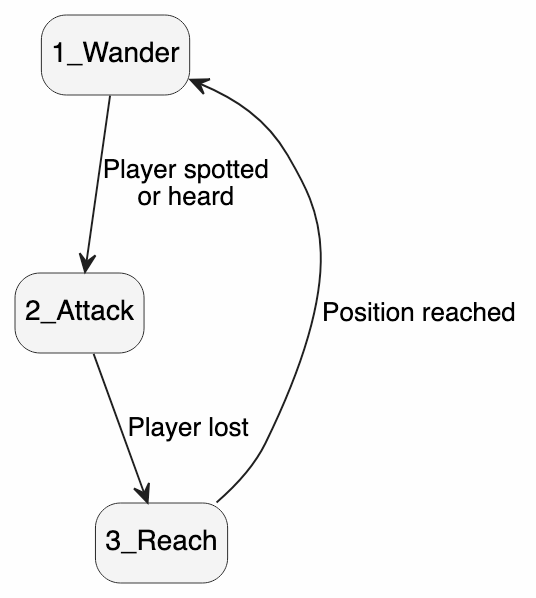
We already defined most of 1., we can define 2. and 3. very similarly.
The more interesting part is in the overall phase orchestration:
function fullEnemyAI() {
    return new ScriptAI(async (script) => {
        while (true) {
            // Phase 1: wander
            await script.start(new RaceAI([
                wanderAI(),
                new SpotPlayerAI(), // Complete the phase when the player is spotted...
                new HearPlayerAI(), // ... or when they're heard
            ]));

            // Phase 2: attack
            if (playerIsInSight) {
              await script.start(new RaceAI([
                  new AimAndShoot(),
                  new KeepPlayerInSightAI(1), // Complete the phase when the player hasn't been visible
              ]))
            }

            // Phase 3: reach
            await script.start(new FindPathAI(lastKnownPlayerPosition))
        }
    });
}
And this is what it looks like in action:
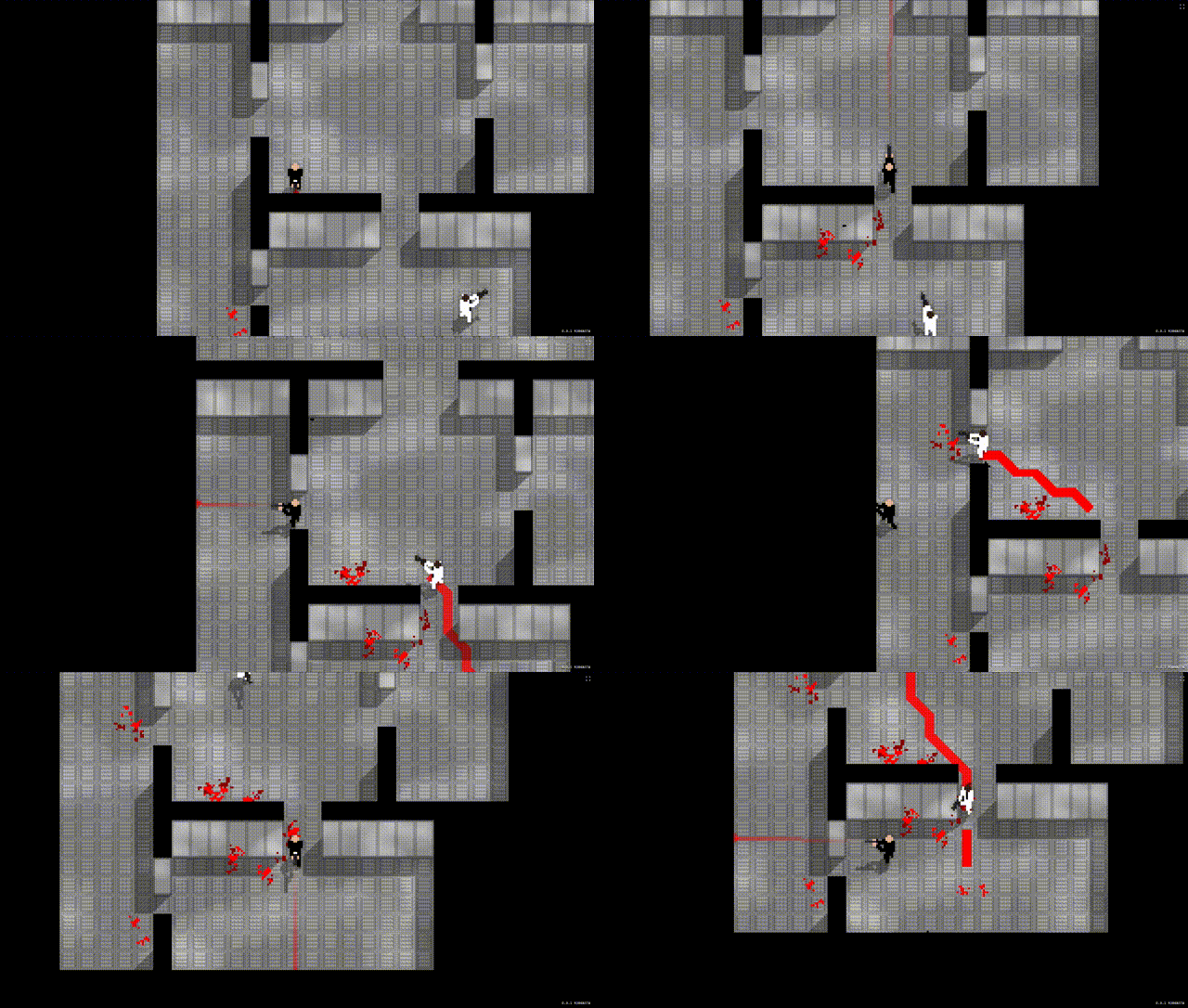
This version has one bad flaw: in phase 3, as the enemy tries to reach the player, if they spot them, they keep running. Phase 3 can’t be interrupted.
Ideally, we’d like them to stop and start shooting.
Let’s update the AI to fix it:
function fullEnemyAI() {
    return new ScriptAI(async (script) => {
        while (true) {
            // Phase 1: wander
            // ...

            // Phase 2: attack
            // ...

            // Phase 3: reach
            await script.start(new RaceAI([
                new FindPathAI(lastKnownPlayerPosition)),
                new SpotPlayerAI(), // Stop chasing when the player is spotted...
                new HearPlayerAI(), // ... or when they're heard
            ]))
        }
    });
}
If the player is spotted or heard while running to their last position, the AI will go back to phase 1., and immediately skip to phase 2. to start attacking.
This should hopefully show how building the AI becomes a problem of moving those blocks around, and tweaking parameters. No spaghetti code. No massive state machine. And each phase can be updated independently.
It’s also fairly easy to define completely different behaviors. One enemy could constantly chase the player. One could take cover between bursts. One could look for support.
Taking cover
For certain enemy types, I also wanted to experiment with taking cover.
The first step was to define a function that finds safe spots around the player.
Given there can only be one player on the screen, the algorithm is fairly simple:
From the player’s position, cast rays at various angles and determine how far the nearest obstacle is
For each ray, increase the distance until there is no obstacle: that’s a safe spot, because we know that there is at least one obstacle between the player and that spot
In terms of code, it looks like this:
function* findSafeSpots(danger) {
    const step = Math.PI / 16; // Check 32 angles
    for (let angle = 0 ; angle < Math.PI * 2 ; angle += step) {
        // Find the nearest obstacle at that angle
        const nearestObstacle = castRay(danger, angle);

        // Increase the distance until there's no obstacle
        for (let distance = distance(danger, nearestObstacle) ; ; distance += CELL_SIZE) {
          const position = {
              x: danger.x + Math.cos(angle) * distance,
              y: danger.y + Math.sin(angle) * distance,
          };
          if (!isObstacle(position)) {
              // No obstacle, it's a safe spot
              yield position;
          }
        }
    }
}
And this is what it gives once in-game: green spots are spots that are considered safe from the player.
It’s somewhat expensive to compute but luckily we don’t have to compute it often, and it can be kept in cache.
Once I have that, I can restructure my attack phase:
function shootPhase(player) {
    return new ScriptAI(async (script) => {
        // Shoot the player for three seconds
        await script.start(
            new RaceAI([shootPlayer(player), new WaitAI(3)]),
        );

        // After three seconds, find cover and wait for a second
        await script.start(takeCover(player));
        await script.start(new WaitAI(1));

        // After one second while undercover, complete and transition to phase 3:
        // Reach the player's last known position
    });
}

function takeCover(player) {
    // Find any safe spot
    const safeSpot = randPick(findSafeSpots(player));

    // Reach that spot while reloading
    return new ParallelAI([
        new FindPathAI(safeSpot),
        new ReloadAI(),
    ]);
}
And this is what it looks like in-game:
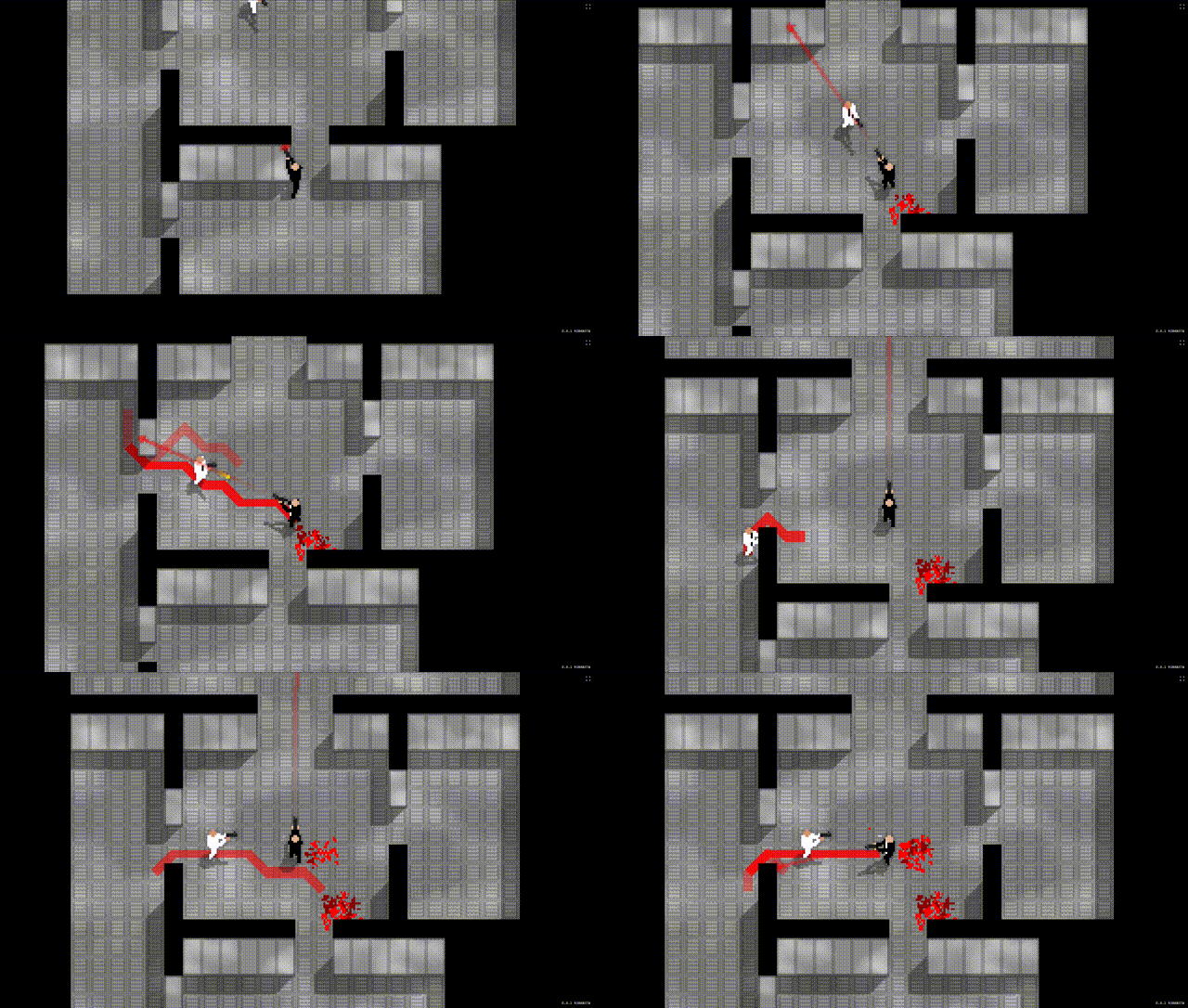
Test, tweak and repeat
While this AI isn’t going sentient anytime soon, it’s sufficient to make the game feel interesting.
All these illustrations were set up for testing, but once they’re combined with other game mechanics, more interesting layouts, enemies, weapon types… it starts to feel like a real game.
It becomes a matter of tweaking values here and there: how fast enemies walk/run, how much do they move while shooting, should they shoot while taking damage…
Here it is in its full glory:
Conclusion
I hope I was able to demonstrate that writing somewhat complex enemy AI doesn’t have to mean building giant, monolithic state machines.
By breaking behaviors down into small building blocks and leveraging JavaScript’s async capabilities, I was able to iterate quickly.
Experimentation became cheap: I could compose existing behaviors rather than rebuilding everything from scratch every time I wanted to try a new idea.
Most importantly, this framework lets me focus on what matters: creating enemies that provide an interesting challenge for the player.
Using Typescript allows me to leverage async/await syntax. While this prevents things like serialization, it makes the code a lot easier to maintain, as opposed to building more blocks that would manage the AI blocks.